


QR Code Generator - QRHyper
4.81.43K Reviews
App Specs
- Version
- 1.02.72.0821
- Updated On
- License
- Free
- Downloads
- 5,000,000+
- Developer
- Gulooloo Tech Co., Ltd.
- Categories
- Productivity
- Platform
- Android
Screenshots
 Analysis by AppCompare
I tend to notice a QR tool most when the network is the part that slows everything down. A code may be quick to make, but what happens after someone scans it still depends on what the code contains and whether their phone can reach it. QR Code Generator & QR Maker is a practical choice when I want to prepare a code on my phone and share it across everyday digital and printed settings, though I treat the scan as a doorway rather than a guarantee that the destination will load.
When the code meets a network
For a web address, the QR code stores the address; it does not make the site available. I find that distinction useful when preparing a sign, handout, or event display: the code can be ready before the venue’s Wi-Fi is, but visitors still need a working connection to open an online page. If the destination is important, I would test the link on another device and over a normal mobile connection before printing or sharing it widely.
The same practical check applies to Wi-Fi details. A QR code can spare guests from typing a long password, but it only helps if the network is operating and the credentials are current. I would refresh a guest code after changing the password rather than assume an old printout remains useful. For a gathering, keeping the network name and password available in plain text is a sensible backup for phones that cannot scan the code.
Making it useful away from a desk
This is a phone-first kind of utility: I can create or scan a code while moving between places, then decide whether to save it or pass it along. That suits a small business owner preparing a quick counter display, a club organizer sharing event information, or someone who wants friends to connect to home Wi-Fi without reading a password aloud. Its appeal is less about replacing a full publishing workflow and more about handling a small task at the moment it comes up.
For a realistic example, imagine I am helping set up a community table. I could prepare a code for the group’s public information page, save the image, and send it to the person arranging the printed sign. Before it goes up, I would scan the final version from the actual print: a code that looked fine on my screen may be harder to read when reduced, placed on a patterned background, or printed with low contrast. Keeping the design simple is often more useful than making it look distinctive.
What to do when a scan fails
A failed scan is not always a fault in the generator. The camera may be too close, the code may be small or blurred, or a decorative color choice may make its edges difficult to distinguish. I would first try moving the phone back, improving the light, and checking that the whole code is visible. If it still will not scan, I would return to the original content and create a less embellished version rather than keep adjusting a code that may be awkward for other people to use.
There is also a difference between a code being readable and its destination being useful. A scanner can recognize a web address while the page itself is unavailable, outdated, or slow on a weak connection. When I am sharing something time-sensitive, I prefer to include a short written fallback alongside the code, such as the name of the page or the information people need most. That makes the handout helpful even if a scan or connection fails.
Worth Reading Before You Choose

EA SPORTS FC Mobile 26 Is a Bigger Football Game, but It Takes Time

Flipboard Shows What News Apps Must Do Beyond the Feed

Switching to Android Auto Means Rethinking Your Driving Routine

Google Calendar Makes a Crowded Week Easier to Manage

Ludo King Makes the Most of the Minutes Between Plans

Baby Panda World Brings Quick Play to Modern Phones, but Its Game Library Feels Busy
A measured approach to sharing
QR codes can make sharing feel effortless, so I pause before encoding anything private. A code is simply a compact way to pass information to whoever can scan it; it should not be treated as a password-protected container. I would use a public-facing page for a flyer and avoid putting personal details into a code that will be posted where strangers can photograph it. For Wi-Fi, I would share a guest network rather than expose a network I rely on for personal devices.
The app is free to download, while in-app purchases range from $1.49 to $59.99 per item. That makes it easy to try the basic workflow before deciding whether any paid option is relevant to me. I would not pay just for the promise of a more decorative code unless the design remains reliably scannable and solves a real need. The strongest reason to use a QR tool is convenience, not visual effects.
Getting Started with Ease
The first thing that struck me about the QR Code Generator & QR Maker is how straightforward it is to dive right in. After a quick download, you’re greeted with an intuitive interface that doesn’t require a PhD in tech to navigate. Whether you’re a tech-savvy millennial or someone who’s just stepped into the smartphone era, this app makes creating your first QR code a breeze. Just type in the information you want to encode, hit generate, and voila, your QR code is ready!
A Toolbox of Possibilities
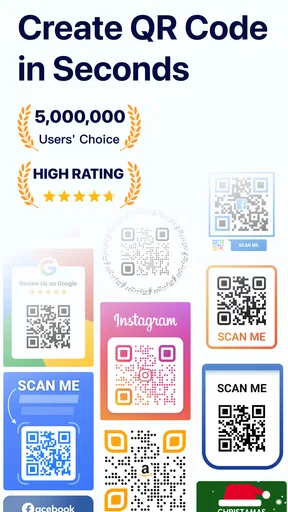
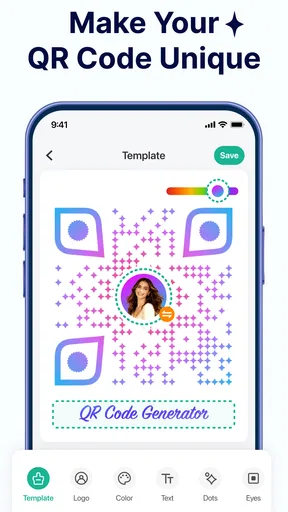
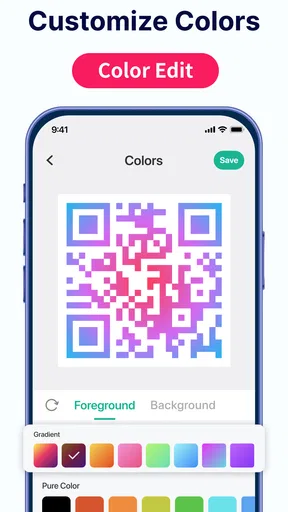
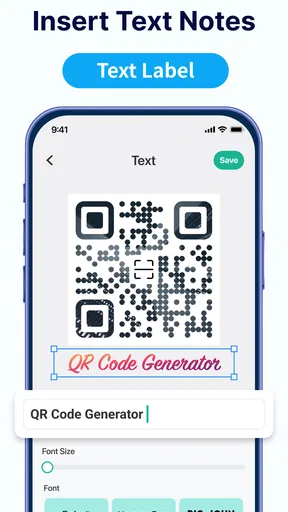
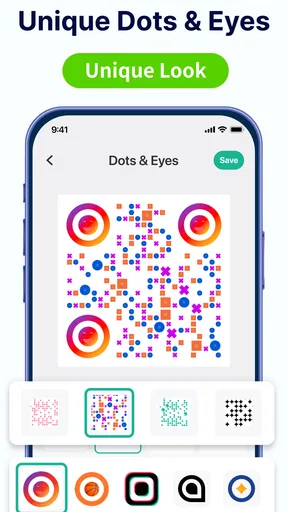
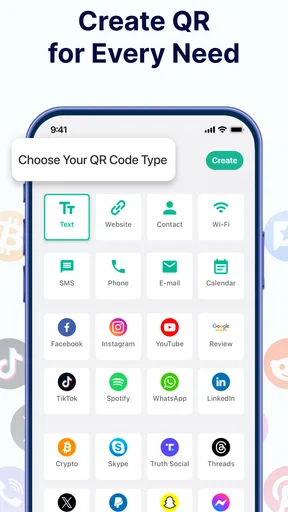
What makes this app stand out is its versatility. You can create QR codes for URLs, text, contact info, and even Wi-Fi credentials. Imagine going to a café and not having to ask for the Wi-Fi password because they’ve got a QR code you can just scan. It’s little conveniences like this that make life easier. Plus, the app supports customization, allowing you to tweak colors and patterns. Want a pink and yellow QR code? You got it.
Sharing Made Simple
Once your QR code is generated, sharing it is just a tap away. You can save it to your gallery, send it via email, or share it on social media. This is particularly useful for businesses or events. Got a special promo or a new product launch? Just create a QR code and share it with your followers. It’s a great way to engage your audience and provide them with instant access to your content.
Scanning Capabilities and More
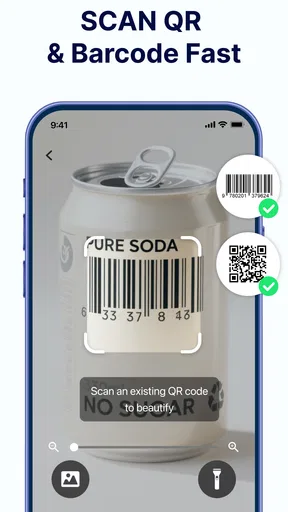
The app doesn’t just create QR codes; it scans them too. This dual functionality is a lifesaver when you’re out and about and need to quickly pull up a website or save contact information. The scanner is responsive and accurate, ensuring you don’t waste time fiddling with your phone trying to get the code to read.
Safety and Privacy
In today’s digital age, safety is a big concern, and rightly so. The QR Code Generator & QR Maker respects your privacy, with no data being stored on their servers without your permission. This transparency is refreshing and adds a layer of trust that’s often missing in similar apps.
When a scanned code opens a page, I judge that page on its own merits rather than treating the scan as an endorsement. For unfamiliar codes, checking the address before entering details is a sensible habit. This is especially worth doing in public places, where a printed code could be replaced or covered without your noticing. I use the scanner for convenience, but I still decide whether a destination deserves my trust.
"It’s the little features, like customizable colors and patterns, that really make this app enjoyable to use."
Choosing it over a browser or a design tool
Compared with creating a code through a website, an app on the phone is convenient when I am already holding the information I want to share or need to scan something immediately. A browser-based generator may suit someone who works mostly on a computer and wants to prepare a batch of materials alongside other desktop files. A design app can offer more control over a whole poster or brand layout, but it also adds steps. This app makes more sense when the task is specifically to create, scan, and pass along a code without opening a larger design project.
I would still keep the original destination details somewhere outside the image. If a poster needs updating, the saved QR image alone may not remind me which page it points to or which credentials it contains. A simple file name or note alongside the image helps avoid mixing up several codes for different events. That small bit of organization matters more once codes are being shared with other people or reused in printed material.
Who will get the most from it
I would recommend it to people who often move information between a screen and the physical world: a volunteer sharing a signup page, a shop owner putting a web address on a counter card, or a host helping visitors join a guest network. It is also handy for someone who receives codes regularly and wants a scanner in the same place as the generator. Gulooloo Tech Co., Ltd. makes this a focused productivity app rather than a broad document or graphic-design suite.
On the other hand, I would look elsewhere if I needed advanced campaign tracking, detailed design controls for a full marketing workflow, or a way to manage a large catalog of codes as a team. Those jobs call for tools built around analytics, collaboration, or layout production. For a single code or occasional practical use, those extra systems may be unnecessary; for ongoing professional campaigns, a lightweight phone tool may not be enough.
Age, compatibility, and everyday expectations
The app is rated for Everyone and supports Android 6.0 and later. It has a 4.7 average from around 74,000 ratings, with more than 5 million installs and about 1,400 written reviews. I read those figures as signs that QR creation and scanning are familiar, useful tasks for many people, not as proof that every workflow will suit every user. The current version is 1.02.62.1021, and I would check that my phone can run it before planning a task around the app.
Connectivity remains the main boundary to keep in mind. Creating an image and getting a person to useful information are separate steps: a code for plain text can be useful in its own right, while a code pointing to a site depends on that site and the reader’s connection. If a destination is essential, I prepare a fallback and test the printed result. That habit prevents a small convenience from becoming the only route to information.
Final Thoughts
After spending some time with the QR Code Generator & QR Maker, it’s clear that this app is a valuable tool for both personal and professional use. Whether you’re organizing an event, promoting a business, or just want to share your Wi-Fi with friends without the hassle, this app has got you covered. It’s user-friendly, offers great customization, and respects your privacy. So, if you’re in the market for a reliable QR code app, this one’s definitely worth a download.
My recommendation is strongest for people who want a direct phone-based way to make and scan everyday codes, and weaker for anyone expecting a complete design or campaign platform. I would keep the artwork readable, verify links before distributing them, and avoid encoding information I would not want passed around. Used with those simple checks, it is an approachable shortcut for sharing details—especially when the person receiving the code can get online and the destination is ready for them.
Pros
- Easy-to-use interface for quick QR creation.
- Supports various QR code formats and styles.
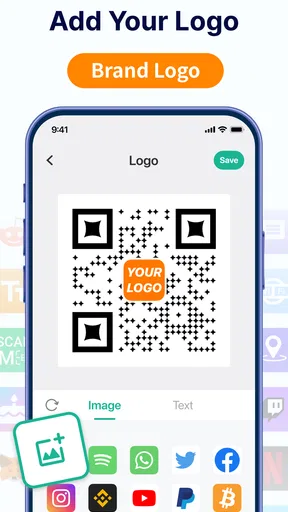
- Allows customization with colors and logos.
- Fast scanning and decoding of QR codes.
- Offline functionality without internet needed.
Cons
- Limited free version features available.
- Some ads may interrupt the user experience.
- Advanced features require in-app purchases.
- Occasional lag in large QR code generation.
- Limited integration with external apps.
FAQs for QR Code Generator - QRHyper
What platforms is the QR Code Generator & QR Maker available on?
The QR Code Generator & QR Maker is available for both Android and iOS platforms. Users can download it from the Google Play Store for Android devices and the Apple App Store for iOS devices. This ensures compatibility with a wide range of smartphones and tablets, making it accessible to most users.
Does the app support different types of QR codes?
Yes, the QR Code Generator & QR Maker supports a variety of QR code types. Users can create codes for URLs, text, contact information, Wi-Fi access, and more. This versatility makes it suitable for personal use, business promotions, and event management, catering to diverse user needs.
Is it user-friendly for beginners?
Absolutely, the app is designed with a user-friendly interface that caters to both beginners and experienced users. It features intuitive navigation and clear instructions, allowing users to create QR codes quickly and easily without any prior experience or technical knowledge required.
Are there any customization options available?
Yes, the app offers extensive customization options. Users can choose different colors, patterns, and logos to personalize their QR codes. This feature is particularly useful for businesses looking to maintain brand consistency or for individuals who want to add a personal touch to their codes.
Is the QR Code Generator & QR Maker free to use?
The app offers a free version with basic features, making it accessible to everyone. However, there may be in-app purchases or a premium version available, which unlocks advanced features such as additional customization options and an ad-free experience. Users can choose the version that best suits their needs.


